Bedtime Stories With StoryCraft Kids
Bedtime Stories for Kids
Bedtime stories can be about so much more than filling the last few minutes before the lights go out.
They can help children settle down after a busy day, talk through a worry, prepare for something new, imagine a different world, or simply enjoy hearing a story in which they get to be the main character.
For homeschooling parents, they can also become a gentle bridge between learning time and family time.
A story does not have to feel like another formal lesson to strengthen listening, comprehension, vocabulary, sequencing, imagination, and conversation. Sometimes the best learning happens when a child is relaxed, interested, and asking what happens next.
And children usually notice immediately when a story includes something that belongs to them.
Their name.
Their favorite stuffed animal.
Their pet.
A place they recognize.
A fear they have been trying to work through.
Or the dinosaur, pony, race car, fairy garden, space station, or woodland animal they cannot stop talking about.
That is what makes bedtime stories created for a particular child so much fun.
Instead of reading the same general story to every child, you can shape the story around the child who is actually listening.
Parents and caregivers could create stories about:
- Sleeping in a new bedroom
- Starting school
- Welcoming a new baby
- Being afraid of a thunderstorm
- Spending the night away from home
- Learning to share
- Making a new friend
- Visiting the dentist
- Feeling nervous about a big day
- Practicing kindness
- Calming down after a difficult day
- Taking an imaginary adventure
- Celebrating a birthday or holiday
- Getting ready to sleep
- Exploring an animal habitat
- Traveling to another country
- Meeting a person from history
- Discovering how something works
- Practicing a new vocabulary word
Homeschool families could also use bedtime stories to introduce a lesson, reinforce a character-building theme, or encourage a child who is struggling with a new skill.
Teachers could use them for read-aloud time, writing inspiration, social-emotional learning, or a special classroom story.
The challenge is coming up with a fresh idea, planning a story that makes sense, and writing it when everyone is already tired.
That is where StoryCraft Kids comes in.
Bedtime Stories Created With AI
Bedtime stories created with AI can be shaped around a specific child, situation, feeling, or interest.
But there is a big difference between typing “write a bedtime story” into an AI tool and giving it a prompt that includes the child, the mood, the purpose of the story, the kind of adventure you want, and the way the story should end.
A short, general request can give you a short, general story.
A carefully structured prompt can give the AI more direction about:
- Who the story is for
- What the child enjoys
- Which characters should appear
- Where the story takes place
- What feeling or situation the story should address
- Whether the story should be funny, calming, adventurous, or comforting
- How long the story should be
- What kind of ending it needs
That structure can be especially helpful when you want a bedtime story that feels personal without having to plan every scene from scratch.
You still need to read through anything created with AI before sharing it with a child. You may want to change a name, soften a scene, shorten a paragraph, or adjust a detail so it fits your child better.
However, starting with a well-built prompt gives you much more to work with than staring at a blank page at bedtime.
Bedtime Stories and What Is Included With StoryCraft Kids
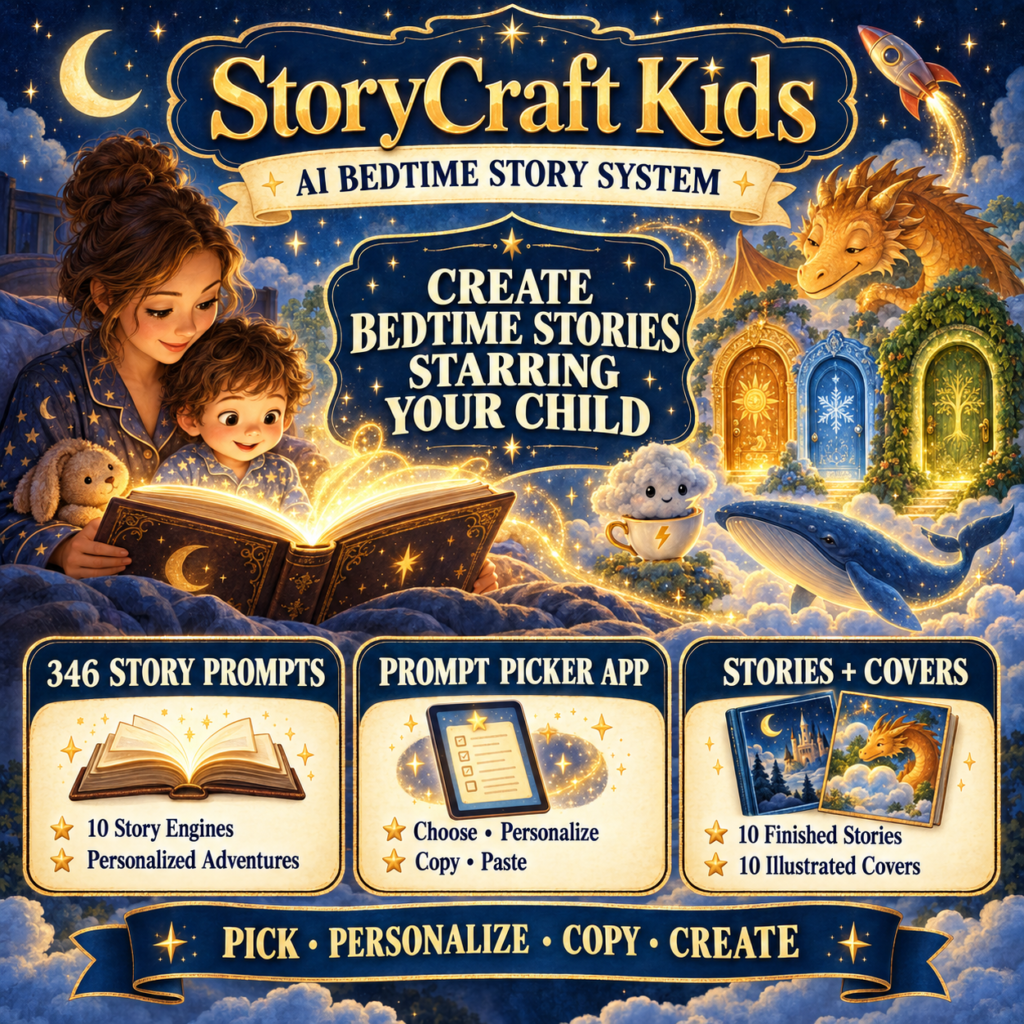
Bedtime stories begin with the prompts and tools inside the StoryCraft Kids front end, which currently includes:
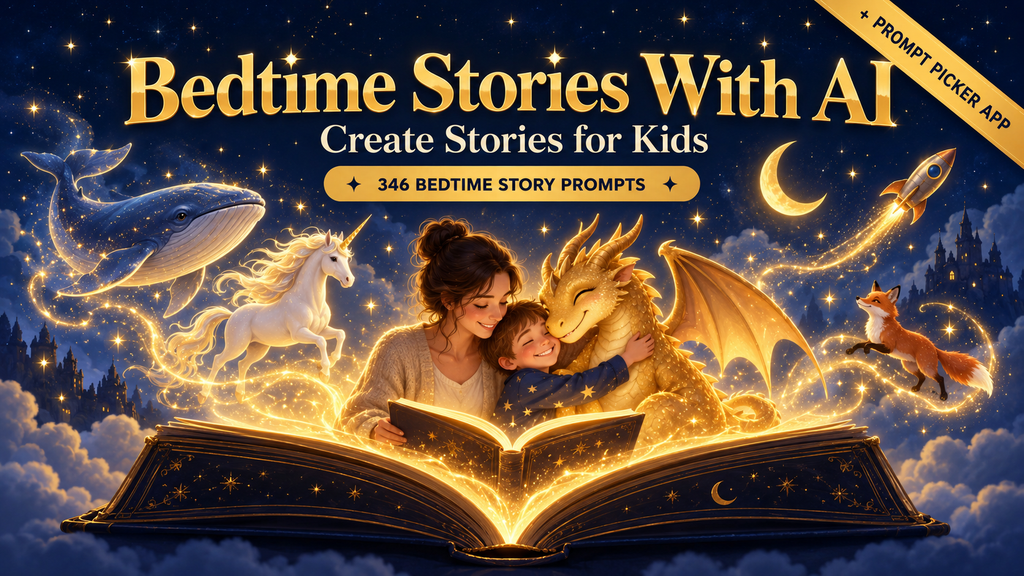
- 346 bedtime-story prompts
- Ten different storytelling engines
- A browser-based Prompt Picker
- Ten finished sample stories
- Ten illustrated cover images
- Prompts designed to work with ChatGPT, Claude, or Gemini
- A one-time purchase with no monthly StoryCraft Kids subscription
The Prompt Picker is an important part of the package because it gives you a quicker way to move through the prompt collection.
Instead of starting with a completely blank AI chat, you can select a story direction, enter the child’s details, and then copy the prompt into the AI tool you want to use.
The ten finished sample stories also give you something you can begin reading right away. They can help you see how the prompts are intended to work before you start creating stories of your own.
The cover images can be used to give finished stories a more complete storybook feel, especially if you decide to save or print a story as a keepsake.
Bedtime Stories: How StoryCraft Kids Works
Bedtime stories can be created with StoryCraft Kids through a straightforward process.
First, open the StoryCraft Kids Prompt Picker and look through the available story options.
Choose the prompt that best matches the kind of bedtime story you want to create.
Then add the personal information requested by the prompt. Depending on the story, this may include details such as the child’s name, an interest, a favorite animal, a familiar person, a special occasion, or a feeling the child is experiencing.
Copy the completed prompt and paste it into ChatGPT, Claude, or Gemini.
The AI will use those directions to create the bedtime story.
From there, read through the story and make any changes you want.
You might:
- Shorten it for a younger child
- Change the character names
- Add a family pet
- Replace an unfamiliar word
- Make the ending more calming
- Add a favorite blanket or stuffed animal
- Ask the AI to rewrite one scene
- Save the story to read again later
You can read the finished story from your screen, paste it into a document, print it, or begin building a keepsake storybook.
No paid API key is required for the StoryCraft Kids prompt system itself. You use the prompts with the AI platform you prefer, subject to that platform’s current account and usage requirements.
Bedtime Stories: My Experience With StoryCraft Kids
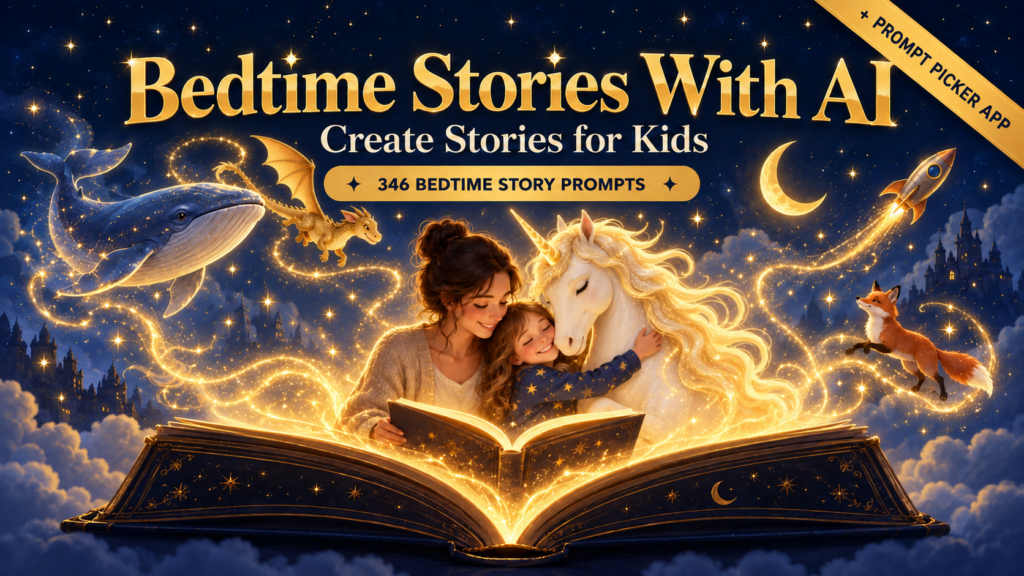
I had the pleasure of going through StoryCraft Kids, and honestly, 346 bedtime story prompts is a lot of stories to choose from! Thankfully, the Prompt Picker keeps you from scrolling through prompt after prompt while your child is standing beside you waiting for tonight’s story.
You can choose the type of story you want, add the requested details, and then copy the finished prompt into ChatGPT, Claude, or Gemini. So, if your child has been talking about nothing but dragons for three weeks, wants the family dog to travel to space, or needs a little reassurance before the first day of co-op, you have somewhere to start.
I also like that the prompts are not limited to stories about getting ready for bed. There are calming stories, silly adventures, meaningful lessons, special occasions, new experiences, and plenty of ideas you could connect to what your child is already learning.
For homeschooling parents, that opens up quite a few possibilities. You could create a story about the animal habitat you studied that morning, visit another country through an imaginary adventure, meet someone from history, or turn a new vocabulary word into part of the story.
And because it still feels like story time—not another worksheet or lesson—your child gets to enjoy the adventure while practicing listening, comprehension, sequencing, and imagination along the way.
Bedtime Stories: Diary of the Under-Bed Monster
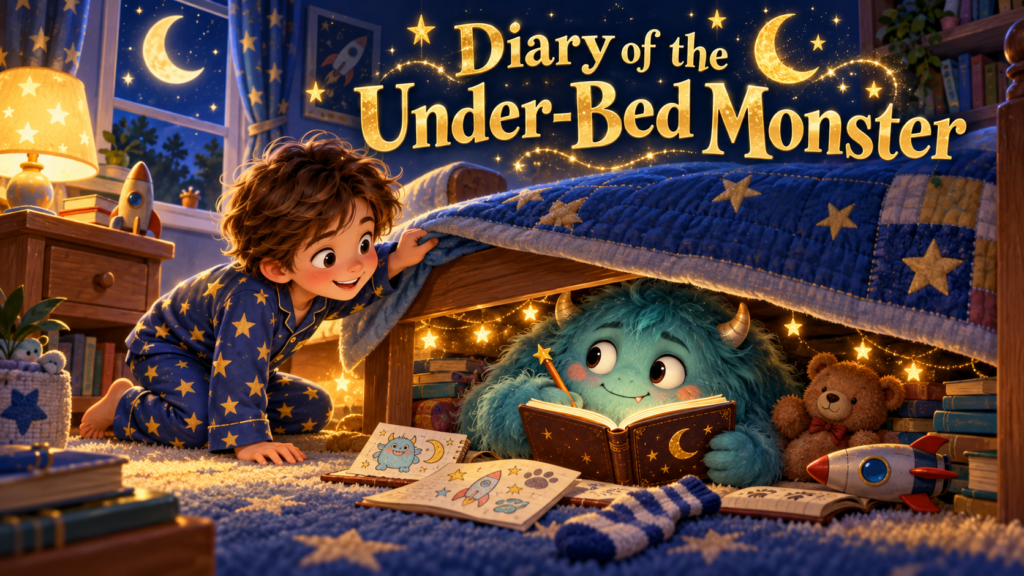
One of the story ideas that caught my attention was Diary of the Under-Bed Monster.
Instead of making the monster under the bed something frightening, the story can turn him into a funny little character with thoughts, feelings, and bedtime adventures of his own. Maybe he is not hiding under the bed to scare anyone. Maybe he is writing in his diary, collecting lost socks, making friends with the stuffed animals, or wondering why children are so afraid of him.
That kind of story can help a child look at a familiar bedtime fear in a completely different way. It can still be silly and imaginative, but it also opens the door to talking about worries, assumptions, kindness, and what something might look like from another character’s point of view.
Homeschooling parents could take the story a little further by asking their child to:
- Draw what they think the under-bed monster looks like
- Create another page from the monster’s diary
- Predict what the monster does after everyone falls asleep
- Retell the story from the child’s point of view
- Make a list of funny things the monster might collect
- Talk about something that once seemed scary but was not
And none of that has to turn bedtime into another full lesson. You can simply read the story and enjoy it, or save the extra activities for the next morning if your child wants to keep going.
This is the kind of prompt that shows why having a large collection is helpful. You are not just changing a child’s name inside the same basic story. You can explore completely different characters, situations, feelings, and adventures depending on what your child would enjoy that night.
Bedtime Stories Bonuses Included When You Purchase Through Me
StoryCraft Kids already gives you hundreds of prompts to help you come up with the stories, but I wanted my bonuses to help you take those ideas a little further.
When you purchase the StoryCraft Kids front end through my link, you will also receive my Character Development Organizer.
This organizer gives you a place to work out the important details about your story characters, including their appearance, personality, interests, relationships, strengths, challenges, and the little details that make them memorable.
It can be especially helpful if your child falls in love with one of the characters and wants another story about that same dragon, unicorn, under-bed monster, space explorer, or woodland friend. Instead of trying to remember every detail later, you will already have the character planned and ready for the next adventure.
Bedtime Stories for Homeschool and Classroom Learning
Bedtime stories can also support homeschool and classroom learning when they are used thoughtfully.
A homeschool parent could create a story connected to a history period, science topic, nature study, community-helper lesson, literature theme, character lesson, or geography unit.
This does not mean every bedtime story needs to become schoolwork. The story can simply be enjoyed. But when a child becomes interested in a character, setting, animal, place, or question, homeschooling parents have the freedom to follow that curiosity the next day.
A teacher could use a story as a writing starter and ask students what should happen next.
Children could compare two endings, draw a scene, write a letter to a character, sequence the events, or describe the lesson the character learned.
A StoryCraft Kids story could be extended with:
- Reading-comprehension questions
- Vocabulary words
- Story-sequencing cards
- Drawing pages
- Creative-writing prompts
- Character-trait activities
- Beginning, middle, and end worksheets
- Alternative-ending activities
- Discussion questions
- A matching journal page
- Oral narration
- Copywork from a favorite sentence
- A map connected to the setting
- A library-book basket about the topic
- A simple science or nature-study activity
The base product is centered on generating the story. It is not a complete curriculum, and the additional questions, worksheets, and educational pages would be something you create around it.
That flexibility makes it useful for families who want a story at bedtime and for parents or teachers who want to carry the same story into a learning activity the next day.
It can also work across different ages in the same family. A younger child might draw the main character or retell the beginning, middle, and end. An older child might rewrite the ending, compare two points of view, research the setting, or create the next chapter.
Bedtime Stories and the Ten Story Engines for Homeschooling
The ten storytelling engines give homeschooling parents more than ten different themes. They provide different story structures that can naturally connect to several language-arts skills.
The AI Becomes a Character
When the story is told by a dragon, the moon, a lost sock, or another unexpected narrator, children can explore point of view.
After reading, ask how the story would change if someone else told it.
Your Child Steers the Story
Choice-driven stories encourage prediction and decision-making.
Before choosing a door or direction, children can explain what they think will happen and why.
Fill-in-the-Blank Story Machines
Fill-in-the-blank stories can become playful vocabulary or parts-of-speech practice. Children can supply a noun, action word, describing word, setting, or silly object before hearing how everything fits into the story.
Messages From Another World
Stories told through letters, diary entries, or messages can introduce children to different writing formats.
They could answer the letter, write another diary entry, or create a message from a second character.
Interview First, Story Second
When the AI asks about the child’s day before creating the story, children practice recalling details and expressing how they felt.
That can lead naturally into oral narration or personal writing.
Today Becomes the Adventure
Turning an ordinary day into an adventure helps children see how real events can become stories.
They can put events in order, identify the setting and characters, and decide which ordinary moment should become the most exciting scene.
Wind-Down Stories
Wind-down stories are useful for the transition from a busy homeschool day into a calmer bedtime routine.
They do not need an added assignment. Their value may simply be helping everyone slow down and end the day peacefully.
Big Feelings Helpers
Stories about fears, frustrations, changes, and hard days can give families a comfortable way to begin a conversation.
Children may find it easier to talk about what a fictional character felt before talking about themselves.
Series Nights
An ongoing story series can help children follow character development, remember earlier events, and notice how a larger plot grows from one episode to the next.
They could keep a simple story journal with character notes, setting details, predictions, and favorite scenes.
Stories in Disguise
A story presented as a menu, news report, instruction manual, or letter gives children examples of different ways information can be organized.
They can then create their own unusual format for the next story.
These extensions are optional. The story can remain a cozy family read-aloud, or it can become the spark for a short lesson when it fits your homeschool day.
Bedtime Stories: What I Like About StoryCraft Kids
Bedtime stories can start feeling repetitive when parents use the same general AI request every night, and that is one of the things I like most about StoryCraft Kids.
The 346 prompts give you variety, while the Prompt Picker makes the collection easier to use.
The ability to add a child’s name, interests, and familiar details is also what makes the stories feel special.
A story about a nervous bunny can be sweet.
A story about a nervous bunny who carries the same blue stuffed elephant as your child and is preparing for the same first day of school can feel completely different.
The system also leaves room for you to make the story your own.
You can change the details, ask for a different tone, shorten the result, create another version, or bring the same character back for another adventure.
For homeschooling parents, I also like that the finished story does not lock you into one use. You can enjoy it at bedtime, revisit it during morning basket time, use it for oral narration, or build a small activity around the part that interested your child most.
That makes StoryCraft Kids less like a stack of disconnected prompts and more like a flexible source of read-aloud and learning ideas you can adapt to your own homeschool style.
I also like that there is a clear upgrade path for people who want to do more.
Someone who only wants bedtime stories to use at home can begin with the front end.
Someone who wants more situations and feelings can add the Story Vault.
Someone who wants far more combinations can add the Infinite Story Engine.
Someone who wants to turn the stories into printed books can add the Publisher upgrade.
Someone who wants narration and recorded voices can add the Voice upgrade.
And someone interested in rebranding and reselling the actual StoryCraft Kids system can consider the Agency license.
You do not have to purchase the complete funnel to use the front-end product.
Bedtime Stories and the StoryCraft Kids Upgrade Funnel
Bedtime stories can be expanded into larger collections, printed books, audio experiences, and even resellable products through five optional upgrades after the StoryCraft Kids front-end offer.
OTO 1: PRO – The Story Vault
The Story Vault adds 728 more prompts organized by age band, occasion, and feelings.
It also includes a Situation Index and an upgraded Vault Picker app.
This upgrade is for buyers who want more help finding a story for a very specific moment, such as a new experience, a difficult feeling, a family change, or a special occasion.
The listed price is currently $27.
OTO 2: UNLIMITED – Infinite Story Engine
The Infinite Story Engine expands the system into 359 scenarios with eight storytelling styles, creating 2,872 possible prompt combinations.
It also includes ten story worlds, a Build-My-Week feature, a Story Passport, an Atlas, and a 90-Day Calendar.
This is the upgrade for families or creators who want a much larger variety of stories and a way to plan continued storytelling over time.
The listed price is currently $67.
OTO 3: PUBLISHER – Print & Bind Studio
The Publisher upgrade helps turn the generated stories into books.
It includes a Book Studio layout app with five themes, a home print-and-bind guide, a Keepsake Pack, and guidance for using the $0 Amazon KDP publishing path.
This upgrade makes the most sense for someone who wants to move beyond reading a generated story on a screen and begin creating printed keepsakes or published books.
The listed price is currently $37.
OTO 4: VOICE – Bedtime Radio Edition
The Voice upgrade adds an offline story-audio app with instant narration, parent-voice recording, a built-in sound machine, and a sleep timer.
It also includes an audio guide and ten scripts.
This could be especially useful when a child enjoys listening to stories, when a parent wants to record their own voice, or when a familiar bedtime voice would be comforting while a family member is away.
The listed price is currently $27.
OTO 5: AGENCY – PLR and Reseller License
The Agency upgrade includes the complete suite with editable source files, PLR and reseller rights, a license kit, and a done-for-you launch package.
This is the upgrade intended for buyers who want to rebrand and resell the StoryCraft Kids system itself.
If you are considering any commercial use, read the license included with the offer carefully so you understand exactly what can be sold, shared, edited, or passed to your own customers.
The listed price is currently $137.
The prices above were listed by the vendor and may change, so check the current offer before ordering.
Bedtime Stories: How to Get StoryCraft Kids
Bedtime stories created through the StoryCraft Kids front end currently begin with a $17 one-time purchase.
The front end includes:
- 346 bedtime-story prompts
- Ten storytelling engines
- The browser-based Prompt Picker
- Ten finished sample stories
- Ten illustrated covers
- Compatibility with ChatGPT, Claude, and Gemini
You can begin with the front end and decide whether any of the five optional upgrades fit the way you want to use the stories.
If you want to take a look at StoryCraft Kids, you can grab it here.
This post contains affiliate links, which means I may earn a commission if you purchase through my link, at no extra cost to you.
Bedtime Stories Bonus Funnel for StoryCraft Kids
Bedtime stories are also the focus of the complete bonus funnel I put together to go along with this one!
Each level gives you something that matches what you can do with that part of StoryCraft Kids.
Front-End Bonus: 17 Editable Bedtime Story Covers
When you purchase StoryCraft Kids through my link, you can qualify for my collection of 17 Editable Bedtime Story Covers.
The titles can be changed inside Canva, so you can give your newly created story a finished cover and turn it into a bedtime book or family keepsake.
Use StoryCraft Kids to create the story, choose one of the editable covers, add your own title, and begin putting your book together.
OTO 1 Bonus: Character Development Organizer
When you add OTO 1, The Story Vault, you can also qualify for my Character Development Organizer.
The Story Vault gives you hundreds of additional situations, occasions, and emotional themes. The organizer gives you a place to develop the children, animals, family members, settings, personalities, and recurring characters you want to use in those stories.
OTO 2 Bonus: Sweet Snuggles Storybook GPT Bundle
When you add OTO 2, the Infinite Story Engine, you can qualify for my Sweet Snuggles Storybook GPT Bundle.
Sweet Snuggles includes three custom GPTs that help you move through the complete bedtime-storybook workflow:
- Sophie helps plan the story idea, characters, setting, emotional message, and page flow.
- Willow helps write a warm, page-by-page manuscript with gentle pacing and a peaceful ending.
- Ivy helps create a consistent visual plan with cover and interior illustration prompts.
That gives you a natural path from the Infinite Story Engine into a more complete book project:
Choose the story combination → plan the book → write the manuscript → create the illustration prompts.
OTO 3 Bonuses: Two GPT Bundles
When you add OTO 3, the Publisher upgrade, you can qualify for two additional GPT bundles from The Unpopular Mom store.
The first is my KDP Creators GPT Bundle, which helps with book planning, keywords, categories, and product descriptions.
The second is my Kid Lit GPT Bundle, which helps you develop children’s stories, journals, and activity-pack ideas around your book themes.
These bonuses help you take the next steps after creating the book:
Format the story → prepare it for publishing → create the listing → expand the idea into coordinating children’s products.
OTO 4 Bonus: Matching Coupon-Code Bonus
When you add OTO 4, the Bedtime Radio Edition, you can qualify for one additional matching coupon-code bonus from The Unpopular Mom.
After your purchase is verified, I will send you the coupon-code details for the qualifying bonus.
OTO 5 Bonus: Additional Matching Coupon-Code Bonus
When you add OTO 5, the Agency PLR and Reseller License, you can qualify for an additional matching coupon-code bonus from The Unpopular Mom.
This is in addition to the bonuses you qualified for through the earlier levels you purchased.
After your purchase is verified, I will send you the coupon-code details for this qualifying bonus.
How to Claim Your StoryCraft Kids Bonuses
To qualify for these bonuses:
- Purchase StoryCraft Kids through my affiliate link here.
- Add any optional upgrades you want during checkout.
- Forward your complete WarriorPlus receipt to support@theunpopularmom.com.
- Include the email address you want associated with your bonus access.
Once I verify the purchase and the upgrades included in your order, I will send over the bonuses for which your purchase qualifies.
All bonus qualifications are based on verified purchases made through my affiliate link. Purchases must follow the current rules listed on The Unpopular Mom Bonus Page.
Get StoryCraft Kids and Qualify for My Bonuses!
Bedtime Stories Frequently Asked Questions
What is StoryCraft Kids?
StoryCraft Kids is an AI bedtime-story prompt system designed to help parents, grandparents, caregivers, homeschool families, and teachers create bedtime stories for children.
The front end includes 346 prompts, ten storytelling engines, a browser-based Prompt Picker, ten finished sample stories, and ten illustrated covers.
Does StoryCraft Kids give me 346 finished stories?
No. It gives you 346 hand-crafted prompts that you customize with the details you want and use with an AI tool to generate stories.
Because the prompts can include different names, interests, situations, and details, they can be used to create many different stories.
Which AI tools work with StoryCraft Kids?
The prompts are designed to work with ChatGPT, Claude, and Gemini.
The features, account requirements, and usage limits of those platforms can change, so check the AI tool you choose for its current terms.
Do I need a paid AI account?
StoryCraft Kids does not require its own paid AI subscription or API key. The prompts can be used with supported AI chatbots, including their available free options.
Usage limits and feature availability will depend on the AI platform you select.
Can I add my child’s name to the stories?
Yes. You can enter the child’s name and other details when the selected prompt calls for them.
Depending on the prompt, you can include details such as a child’s name, interests, pet, favorite toy, current feelings, special occasion, or situation.
Can I edit the stories created by the AI?
Yes. You should read and edit the generated story before using it.
You can change names, shorten the story, adjust the reading level, soften a scene, add familiar details, or ask the AI to rewrite part of it.
Can homeschool parents and teachers use StoryCraft Kids?
Yes. Homeschooling parents can use the stories for read-aloud time, morning baskets, oral narration, writing inspiration, themed learning, discussion, story sequencing, vocabulary, and social-emotional learning.
Parents and teachers can also create their own questions, drawing pages, copywork, writing prompts, research ideas, and activities to accompany a generated story.
StoryCraft Kids supplies the story prompts and generated story foundation. It does not replace a homeschool curriculum, so any formal lesson material would need to be selected or created by the parent.
Can I print the stories?
You can save and print the stories you create for permitted uses under your license.
OTO 3 adds the Print & Bind Studio, book-layout themes, a home-binding guide, a Keepsake Pack, and information about the Amazon KDP publishing path.
Can StoryCraft Kids narrate the stories?
Audio narration is part of OTO 4, the Bedtime Radio Edition.
That upgrade includes instant narration, parent-voice recording, a sound machine, a sleep timer, an audio guide, and ten scripts.
Can I sell StoryCraft Kids as my own product?
The front-end offer does not include the Agency PLR and reseller package.
OTO 5 is the upgrade that includes the complete suite with editable source files, PLR and reseller rights, a license kit, and launch materials.
Always read the current license before selling, editing, sharing, or passing rights to any part of the system.
Each upgrade serves a different purpose. Choose the ones that match how you plan to use the system rather than assuming you need every level.
How much does StoryCraft Kids cost?
The front end is currently listed at $17 as a one-time purchase.
The vendor may change the price, so check the live offer for the current amount before purchasing.
You can view StoryCraft Kids here.
How do I qualify for the StoryCraft Kids bonuses?
Purchase StoryCraft Kids through my affiliate link and forward your complete receipt to support@theunpopularmom.com.
Your qualifying bonuses will be based on the front end and optional upgrades shown on your verified receipt.
Get StoryCraft Kids and Qualify for My Bonuses!
This post contains affiliate links, which means I may earn a commission if you purchase through my link, at no extra cost to you.